
Atomic Layer Etching of SiO2
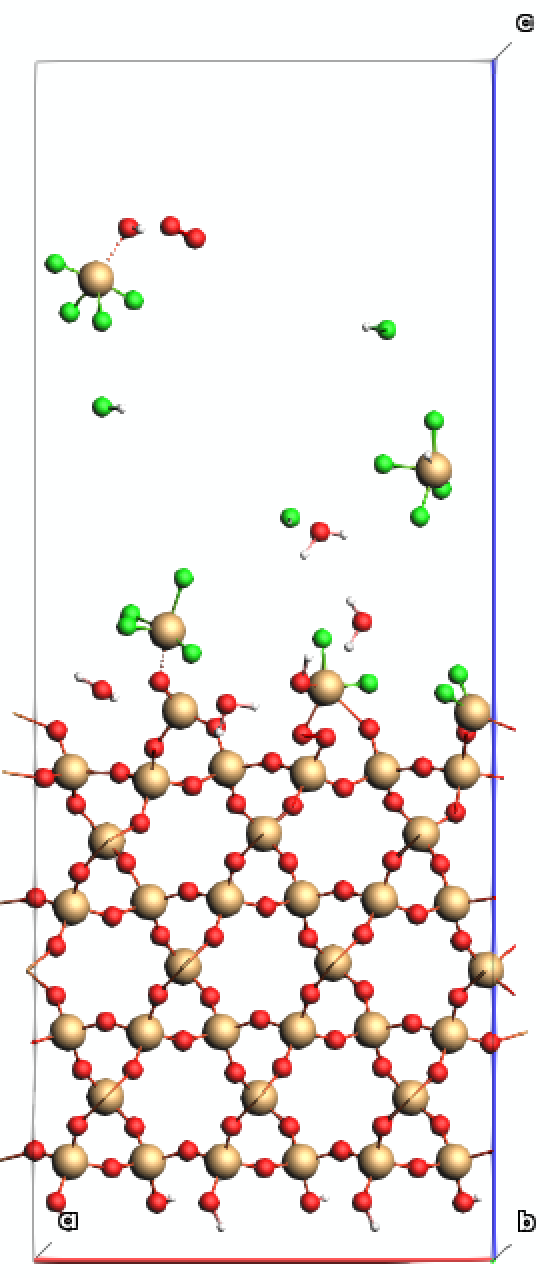
Atomic layer etching is employed in semiconductor fabrication for both wafer polishing and gate oxide miniaturization. The majority of both plasma and thermal etching methods utilize sequential surface halogenation to gradually reduce the layer thickness. In this tutorial, we will show how to simulate these etching cycles by focusing on the HF-based thermal etching of SiO2.
Note
A Python notebook is also available to download. This notebook follows the same procedure outlined in this tutorial, and provides a scriptable interface for programming multiple etching cycles.
Introduction
Atomic layer etching (ALE) of SiO2 using HF involves a self-limiting, two-step process to achieve precise, Angstrom-level removal. It typically employs sequential exposure to hydrogen fluoride (HF) and a second reactant (like trimethylaluminum) to modify the surface and remove the modified layer. In this tutorial, the first half-cycle is represented by HF molecules impinging on a hydroxylated SiO2 slab.
The model uses three main ingredients:
a hydroxylated SiO2 slab,
a frozen substrate region that anchors the slab, and
a molecule gun that inserts HF projectiles above the slab with a downward velocity.
The workflow consists of a ReaxFF geometry optimization followed by a ReaxFF molecular dynamics calculation with molecule insertion and removal.
Preparing the Hydroxylated Slab
To start with, a model of the hydroxylated surface will be constructed.
 tool and search for the AlphaQuartz crystal to load the bulk SiO2 structure
Tip
You can also download a pre-constructed surface structure. Import the prepared structure using the File → Import Coordinates (System) option in AMSinput.
Configuring Regions
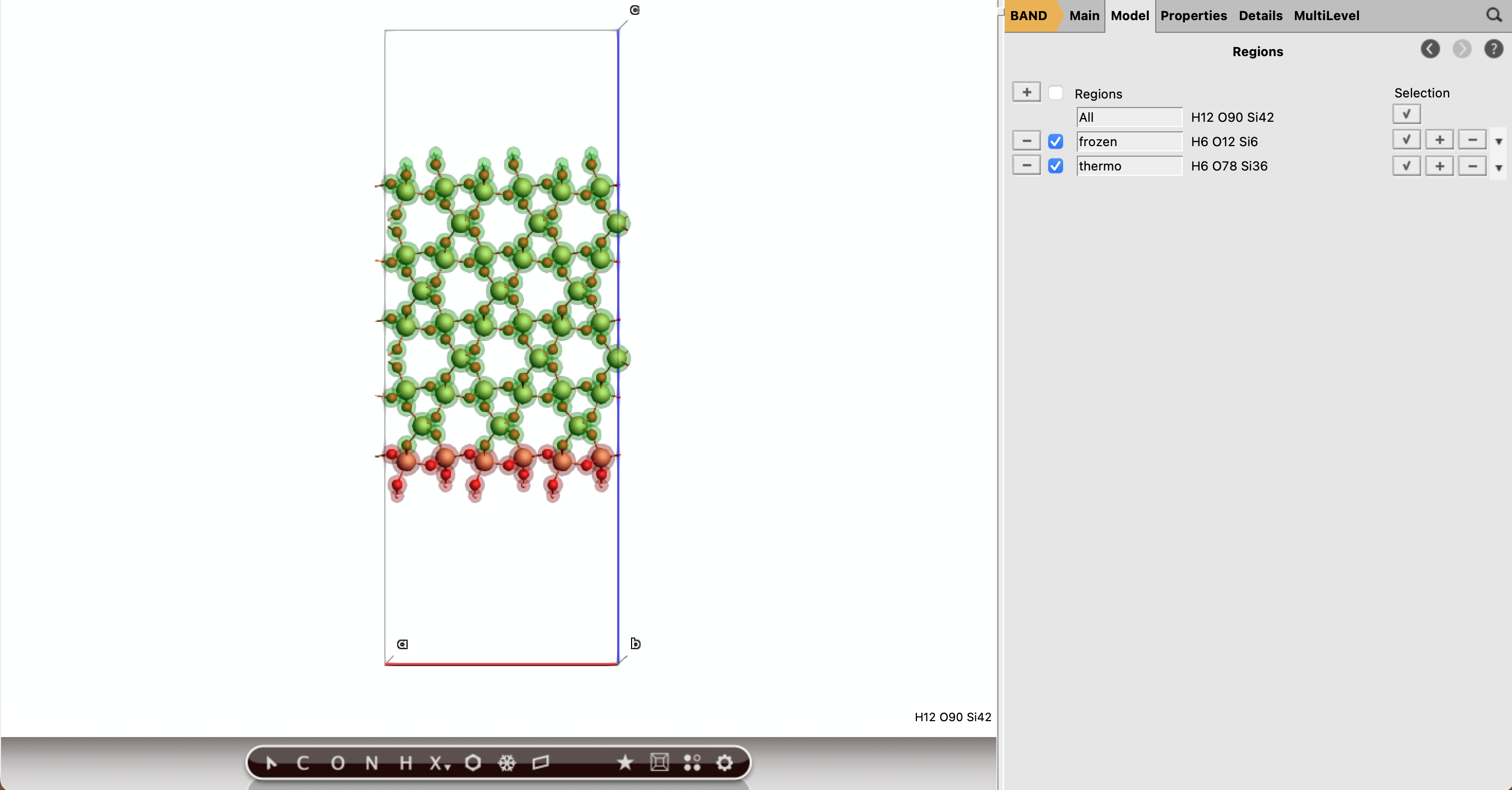
The molecular dynamics calculation treats the slab in two regions:
frozen: atoms near the bottom of the slab, fixed during MD,thermo: all remaining slab atoms, controlled by a thermostat during MD.
3 Å of the bottom of the slabfrozenfrozen region, then use Select → Invert SelectionthermoThe frozen region should form a thin support layer at the bottom of the slab, while the exposed upper surface will be allowed to relax during the simulation.
Relaxing the Slab
Before shooting HF projectiles at the surface, we relax the hydroxylated slab with ReaxFF. This removes artificial strain introduced by slab construction and hydrogen placement.
 →
→ 
HONSiF.ffAfter the job finishes, the structure in AMSinput will be automatically updated with the optimized coordinates.
Tip
The relaxed structure is also available to download.
Adding HF
F tool and click above the slab to add a F atom. Then press cmd/ctrl+E to automatically add the hydrogenHF region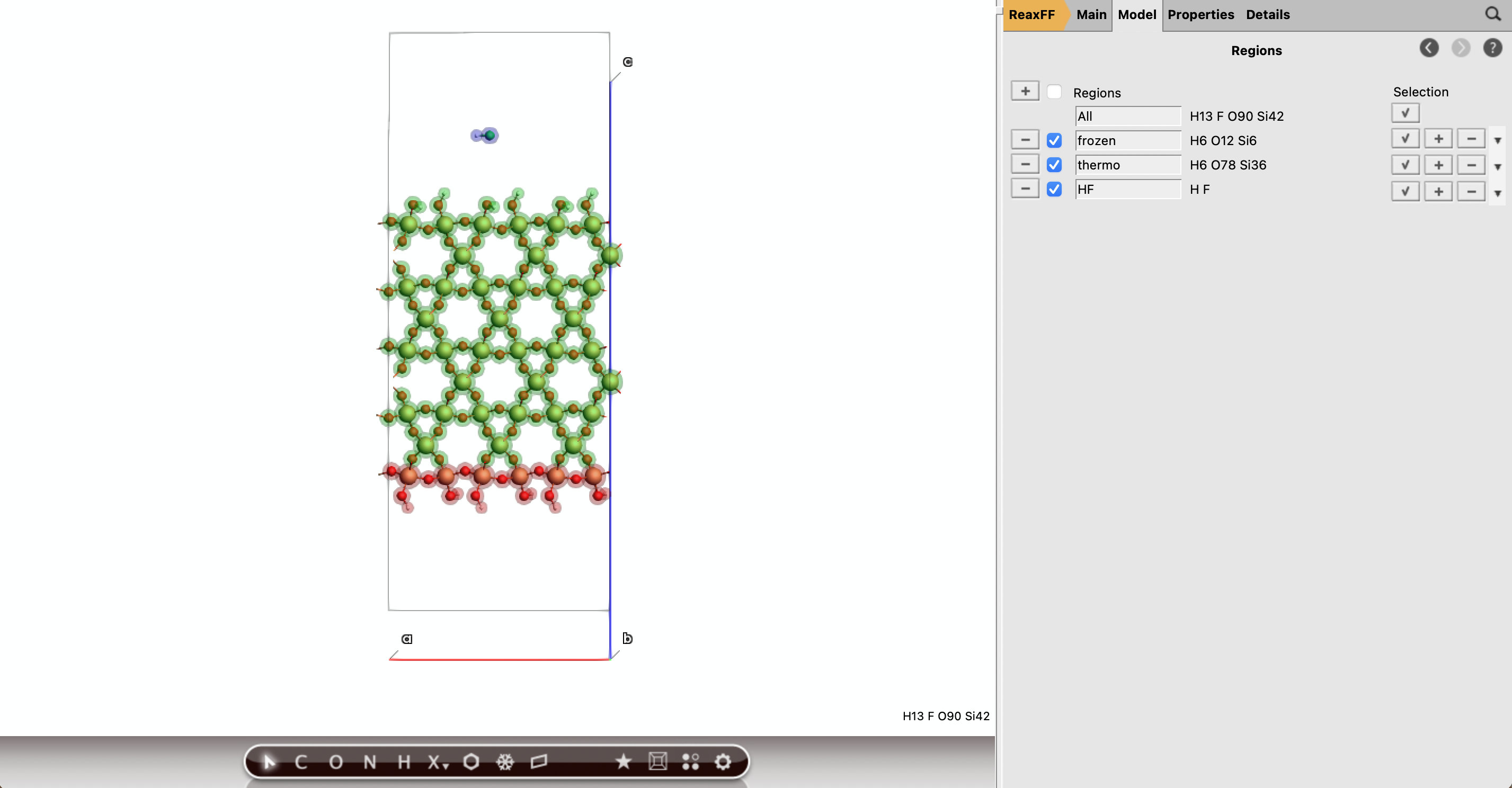
Configuring the Etching Process
The half-cycle simulation inserts HF molecules above the slab and gives them a downward velocity. Scattered HF or etching products will by removed at the vacuum region by adding sink boxes.
A standard molecular dynamics task can be set up:
HONSiF.ff force field100000100 K10000 (this will create 10 checkpoint files during the MD run)A thermostat is added, along with a constraint to fix the frozen surface region in place:
 button
NHC300 K100 fsthermofrozen region and click the button to fix all atomic coordinates in the region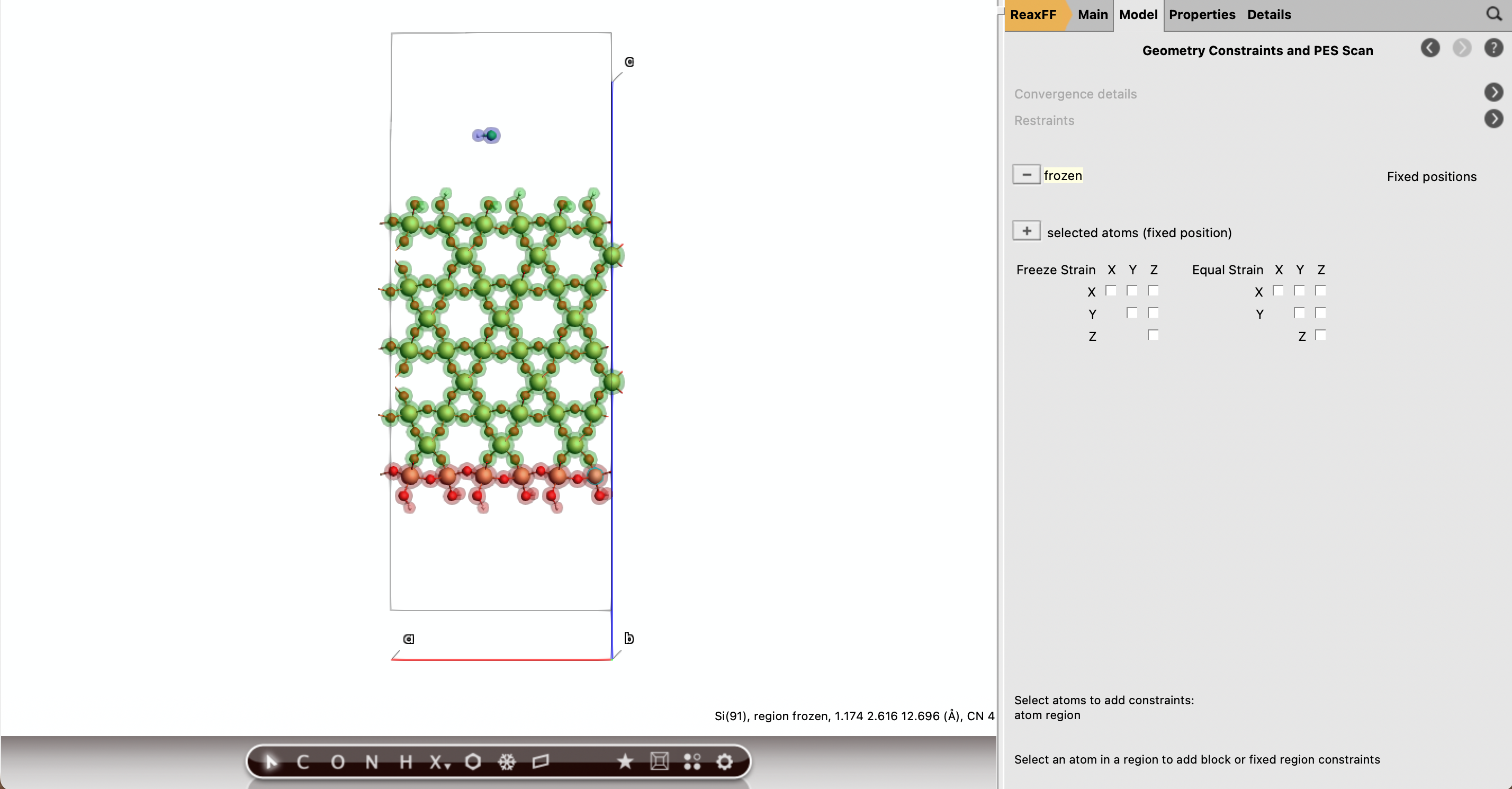
Setting up the Molecule Gun
The MD molecule gun is used to model the impinging HF etching beam:
to set up a new inputHF10001000300 K3.0 Å0, 1, 0, 1, 0.7, 0.8. This will cause the HF molecules to only be inserted from a small region near the top of the slab. to add it to the Velocity direction. Select another Si atom near the bottom of the surface and add it to the Velocity direction as well. The deposited HF atoms will now be aimed along the path between those 2 atoms0.1 Å/fs60 degrees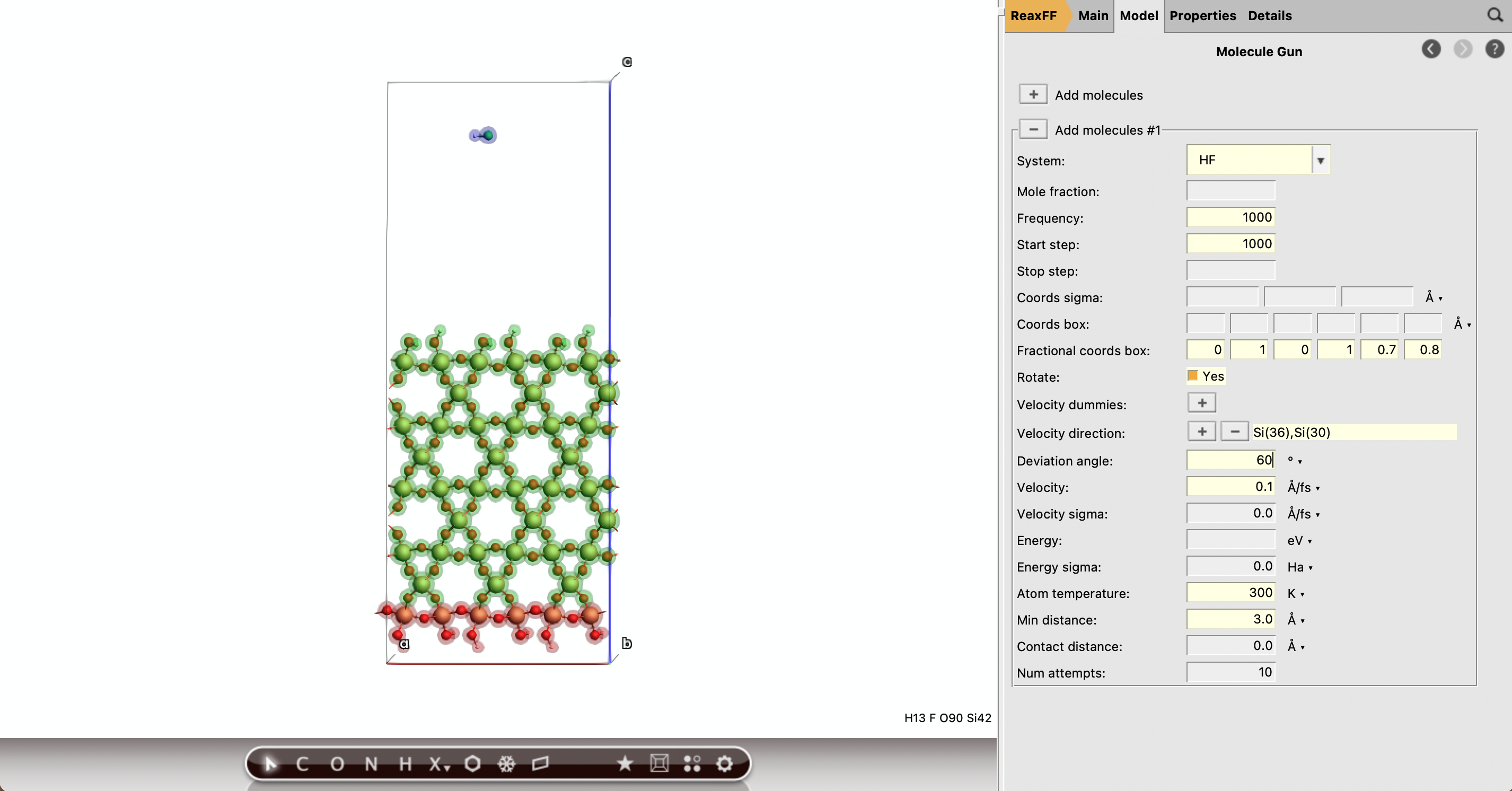
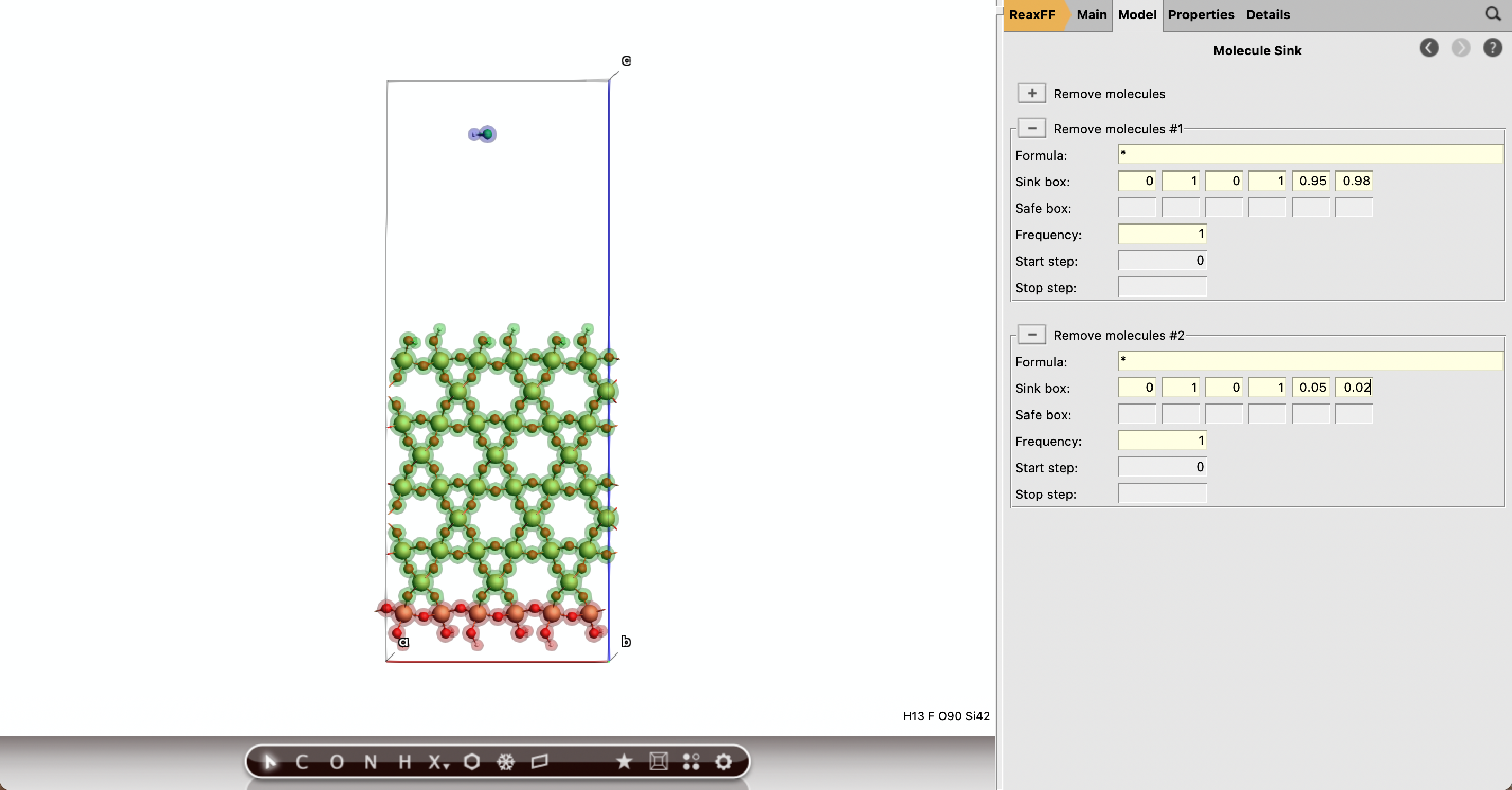
Sink boxes are added to remove any scattered HF or etching products:
to set up a new input*10.0, 1.0, 0.0, 1.0, 0.95, 0.98 to position the sink near the upper vacuum to set up a second sink*10.0, 1.0, 0.0, 1.0, 0.05, 0.02 to position the sink near the lower vacuumNote
When setting up a molecule sink, always make sure that frozen regions remain outside the sink box. Because atoms are not allowed to be removed from a constrained region, this will cause the MD simulation to terminate prematurely.
Running the simulation
Analyzing the Trajectory
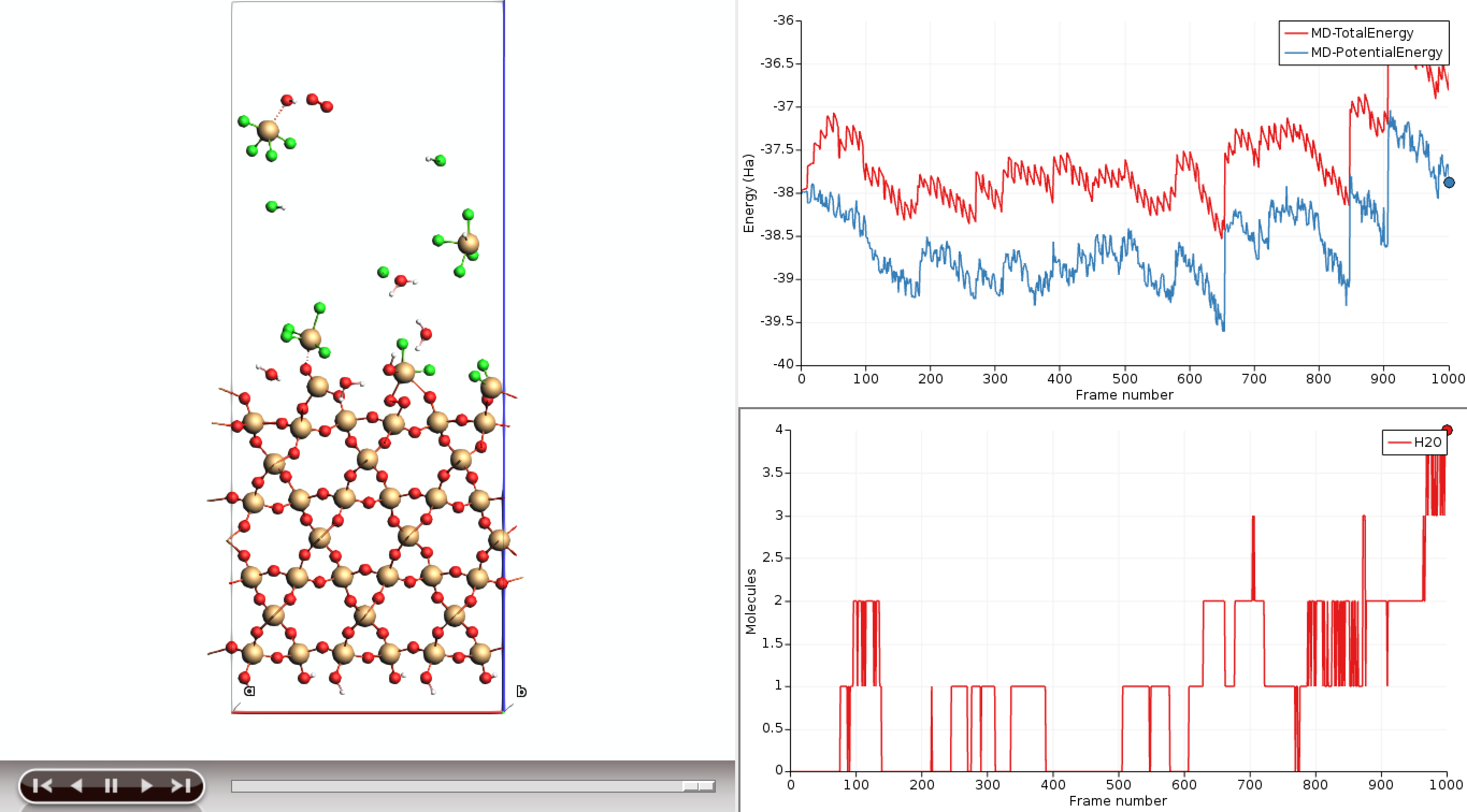
As the MD calculation progresses, trajectory data will gradually be written to the output. AMSmovie can be used to monitor the simulation progress and to inspect representative structures. Navigate through the frames to see HF molecules being inserted at the top of the system. (Reflected HF molecules will be removed as they reach the top of the cell.) As the HF molecules collide with the surface, impact events can lead to surface reactions, bond breakage, bond formation or fragment desorption.
The built-in graphing tools of AMSmovie can be used to analyze these events. (The change in system energy will be shown by default.)
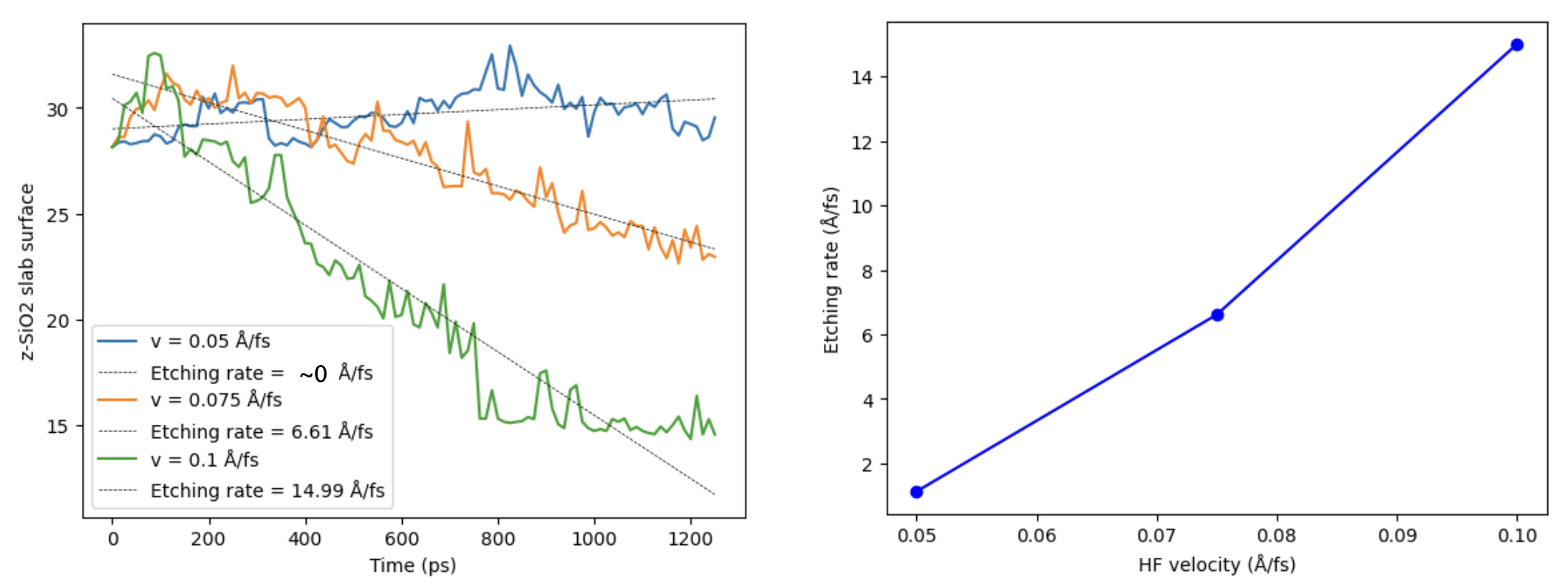
By measuring the top of the slab as a function of time, etching rates can be extracted:
Note
In order to obtain clear statistics on key etching processes, extended simulation times may be required. For reference, the etching rates above were computed based on simulations of 1 ns.
Tip
Check out the notebook for more details on custom trajectory analysis.
Controlling the Etching Process
The ALE workflow can easily be adapted to study other etching agents, surface structures or impact velocities (resulting in different etching rates). To simulate multiple etching cycles, the final structure can be used as input for a subsequent MD simulation, which may use a different co-etching agent. This allows for the investigation of etching processes closer to industrial conditions.