
Machine Learning CO Oxidation on Pt(111)
Note: This tutorial is intended for AMS2026 with access to the UMA-S-1.2-OC25 machine learning potential.
This tutorial will teach you how to:
construct a Pt(111) surface,
identify the common adsorption sites on Pt(111),
build and relax adsorbed O*, O2, CO, and CO* + O2* structures,
set up a simple NEB reaction path for CO* + O2* → CO2+ O*.
We will focus on 2 typical research questions in oxidative catalysis:
Can co-adsorbed CO stabilize molecular oxygen on Pt(111)?
Which co-adsorbed geometry is the most plausible precursor for oxidation?
A machine learning potential will be used to carry out these calculations. These models allow simulations to be performed more quickly, without significant loss of accuracy compared to the reference DFT data.
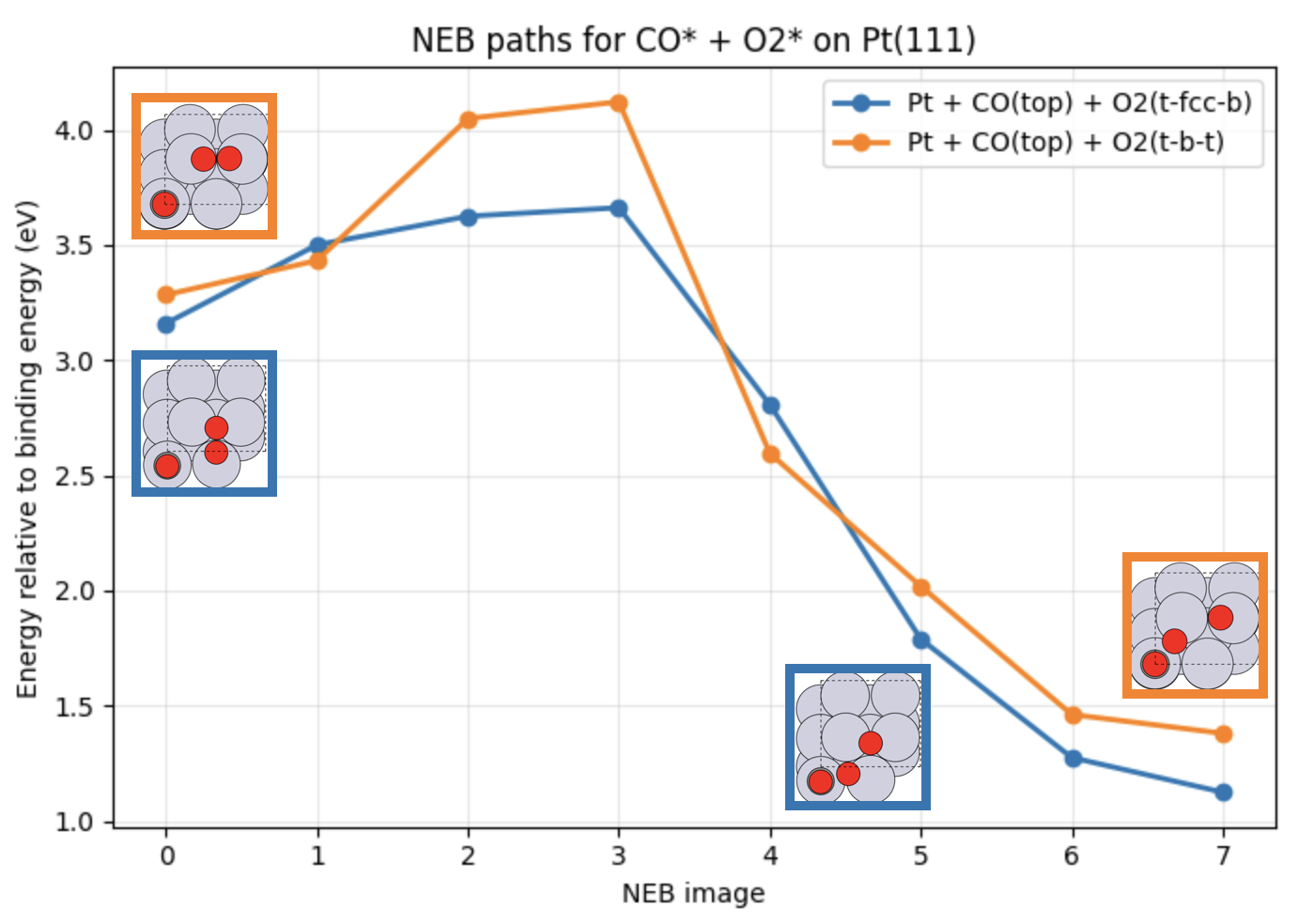
Fig. 28 Calculated reaction pathways corresponding to CO* + O2* → CO2+ O* with O2 adsorbed at different surface sites. The reaction energies are relative to the binding energy of CO and O2 on Pt(111).
Note
A Python notebook is also available for download. This notebook follows the same procedure outlined in this tutorial. Considering how surface reactions can require analyzing a large number of adsorption sites, adsorbate structures and reaction pathways, scriptable workflows are highly recommended to speed up more extensive studies.
Introduction
Pt(111) is a standard model surface for heterogeneous catalysis, and CO oxidation on Pt is one of the classic benchmark reactions in surface science. A useful way to study such a reaction system is to break the problem into a sequence of smaller steps:
optimize the bulk reference,
build the surface model,
identify adsorption sites,
compare the stability of adsorbate and co-adsorbate geometries,
compare reaction pathways between candidate reactant and product states.
In this tutorial, we use a 2 x 2 Pt(111) surface and examine:
atomic O at fcc and hcp sites,
CO at top and bridge sites,
molecular O2 in two adsorption motifs, and
two CO* + O2* co-adsorbed structures.
The final section shows how to define a practical reaction pathway from the relaxed co-adsorbed states.
Bulk Pt Reference
Before building the surface, we optimize the bulk fcc Pt structure in order to determine the correct lattice parameters.
 →
→ 
Pt_bulk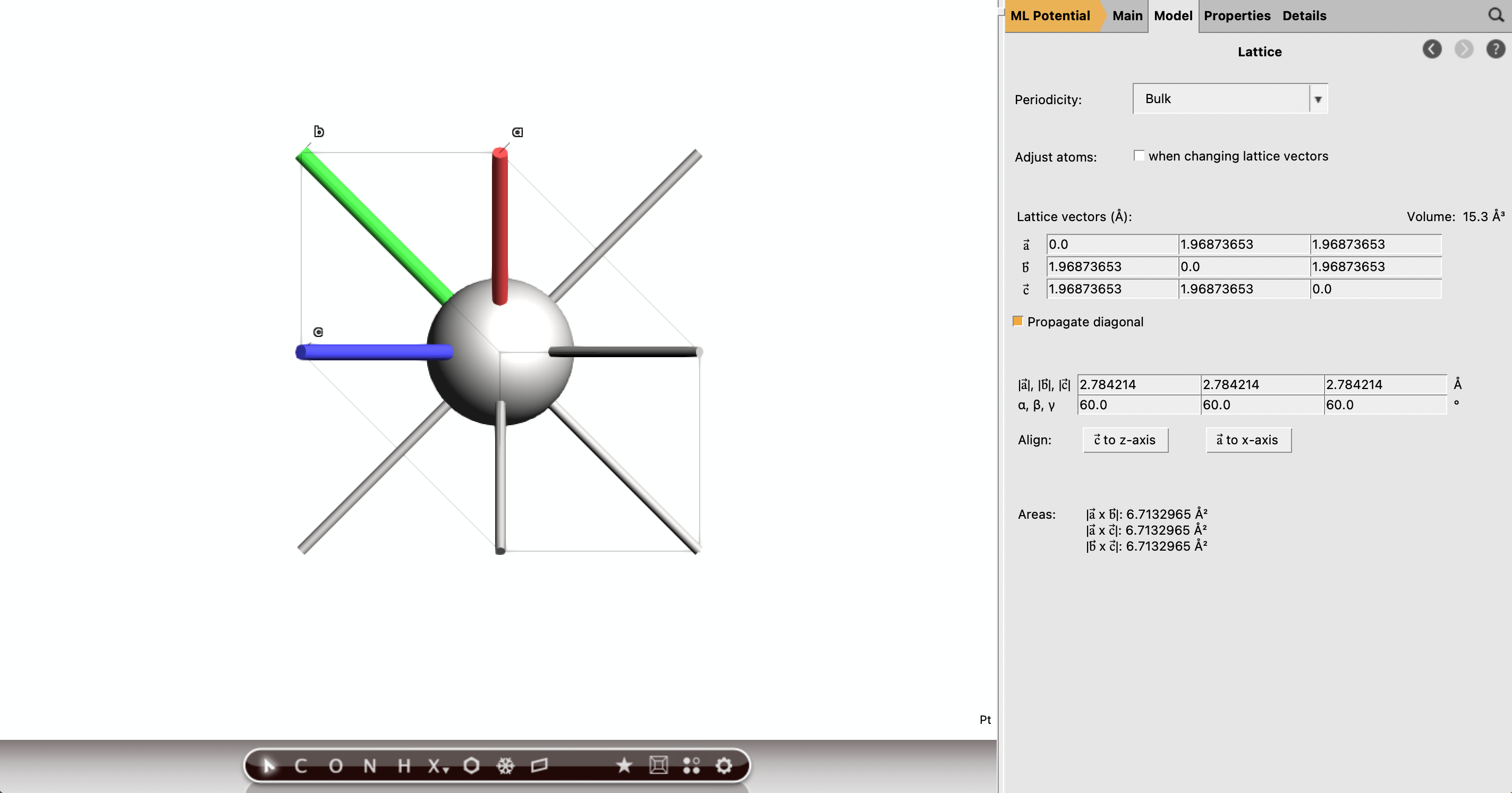
Build the Pt(111) Surface
Next, we cut a Pt(111) surface from the optimized crystal structure.
Pt111_2x2_empty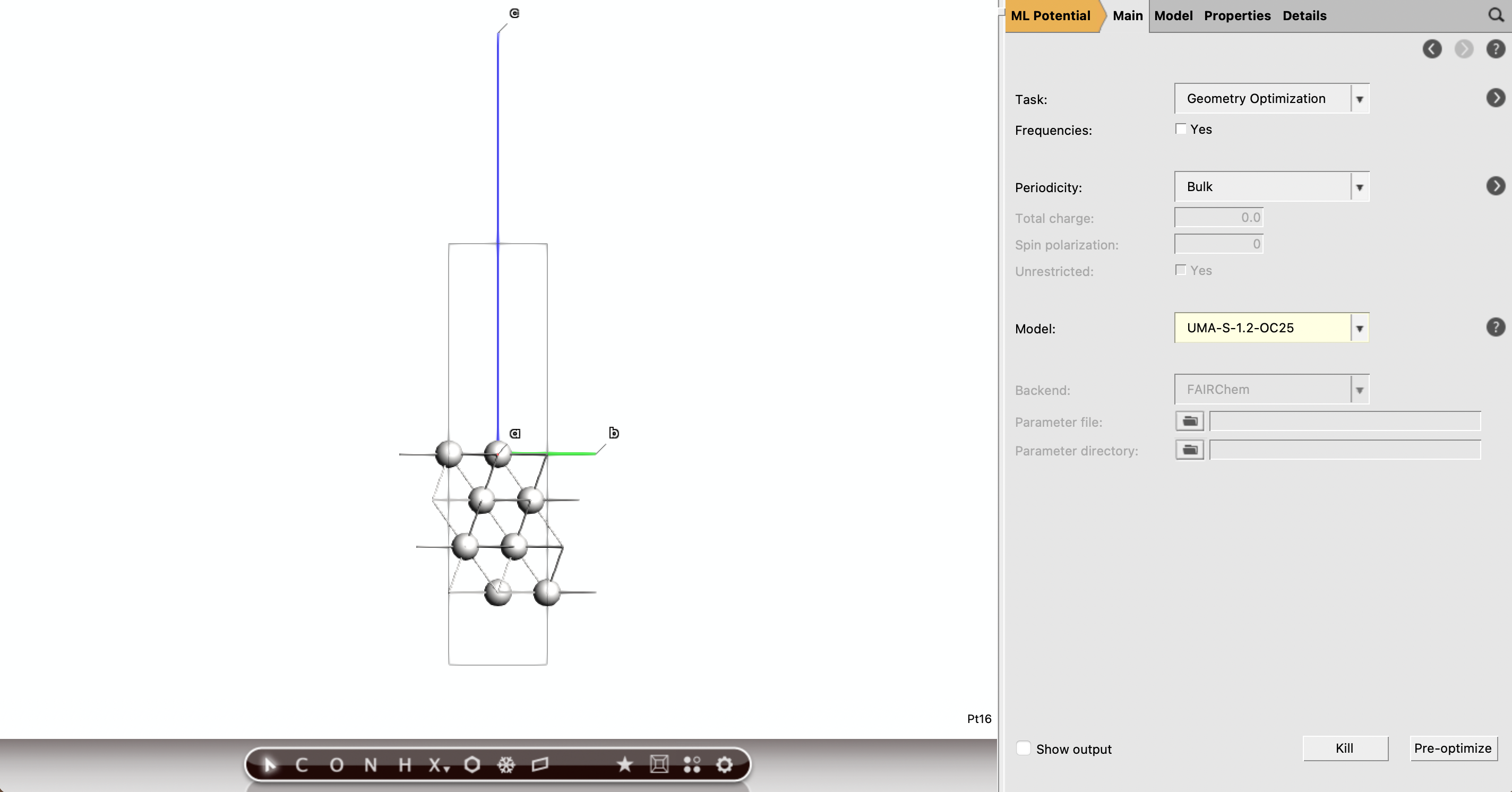
Build the Adsorbates
The common adsorption sites on Pt(111) are top, bridge, threefold fcc, and threefold hcp.
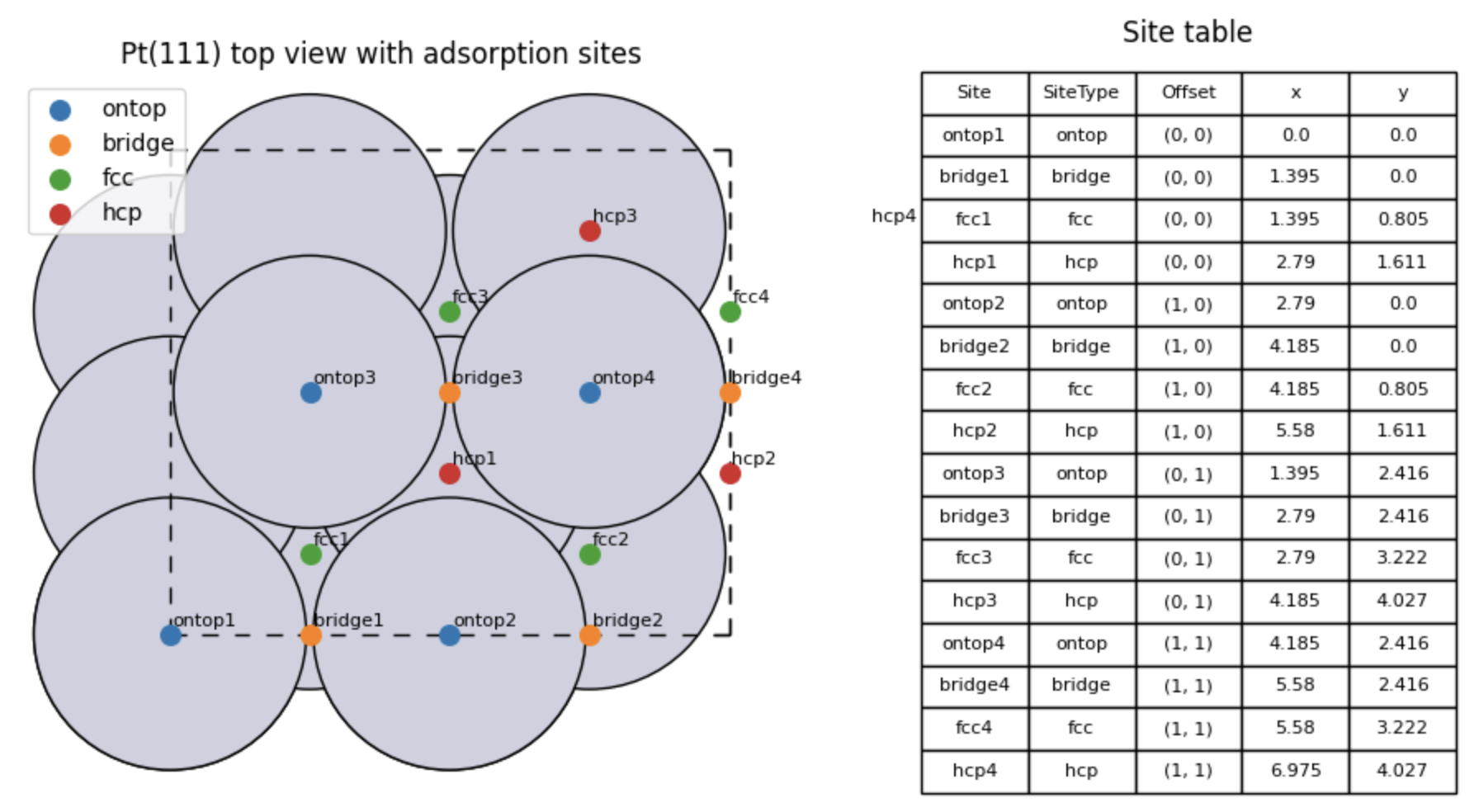
Our next step will be to create a small library of adsorbate structures for these sites:
CO adsorption on the top site
CO adsorption on the bridge site
O adsorption on the fcc site
O adsorption on the hcp site
O2 adsorption on the fcc site
O2 adsorption on the bridge site
These are considered to be the most likely candidates for stable adsorption on the basis of simplified MO models. We also consider 2 co-adsorbate structures:
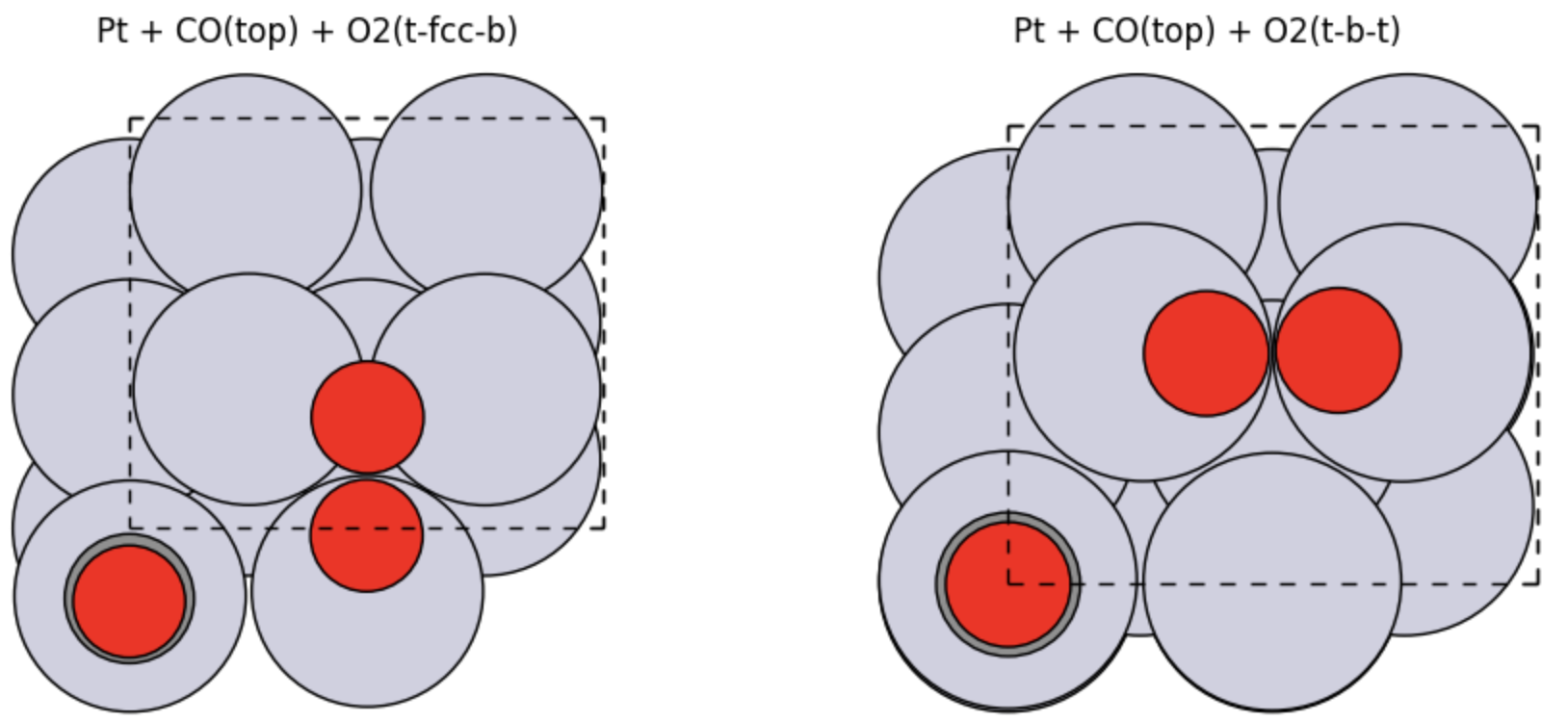
Co-adsorption of CO (top) and O2 (fcc)
Co-adsorption of CO (top) and O2 (bridge)
A full study could be extended to consider other combinations of adsorption sites, but we will limit our selection here for the sake of brevity.
The structure editor in AMSinput can be used to easily construct these adsorbate structures. To build the top-adsorbed CO:
Pt111_2x2_empty with AMSinput button and select Ligand → CO. Click on a point above the surface to add a CO molecule
Pt111_2x2_CO_topTo build the bridge-adsorbed CO:
Pt111_2x2_CO_bridgeTo create the fcc-adsorbed O:
Pt111_2x2_empty with AMSinputPt111_2x2_O_fccTo create the hcp-adsorbed O:
Pt111_2x2_O_hcpTo build the bridge-adsorbed O2:
Pt111_2x2_empty with AMSinput button and select Ligand → CO. Click on a point above the surface to add a CO moleculePt111_2x2_O2_bridgeTo build the fcc-adsorbed O2:
Pt111_2x2_O2_bridge with AMSinputPt111_2x2_O2_fccTo build the co-adsorbed CO (top) / O2 (bridge) system:
Pt111_2x2_O2_bridge with AMSinput button and select Ligand → CO. Click on a point above the surface to add a CO moleculePt111_2x2_O2_bridge_COTo build the co-adsorbed CO (top) / O2 (fcc) system:
Pt111_2x2_O2_fcc with AMSinput button and select Ligand → CO. Click on a point above the surface to add a CO moleculePt111_2x2_O2_fcc_COYou should now have a set of 8 jobs corresponding to the structures shown below. Run the calculations through AMSjobs, then proceed to the next step once the results are in.

Gas-phase References
In order to compute adsorption energies, we need to obtain the energy of the reactant/product molecules in the gas phase (the reaction mixture).
To set up the calculation for CO:
→ button and select Ligand → CO. Click on the drawing area to add the CO molecule.CO_gasTo set up a calculation for O2:
CO_gas with AMSinputO2_gasTo set up a calculation for CO2:
CO_gas with AMSinputCO2_gasAnalyze Adsorption and Binding Energies
After the jobs finish, we can collect the energies for each of the structures. These can be found by opening the results with SCM → Output and requesting the section AMS → Energy.
Tip
It can be helpful to construct a table with the energies of the individual calculations, as we have done below, to keep track of the different states.
We can now obtain the binding energies of the different adsorbate configurations:
We report below the calculated binding energies together with reference calculations obtained from literature. The main difference here originates from the absence of dispersion corrections in the literature PBE data, highlighting the role of dispersive interactions in the stabilization of adsorbates.
Structure |
Calculated binding energy (eV) - PBE(D3) |
Ref. [1] (eV) - PBE |
|---|---|---|
O (fcc) |
1.468 |
1.65 |
O (hcp) |
1.090 |
– |
CO (top) |
1.721 |
1.58 |
CO (bridge) |
1.732 |
– |
O2 (fcc) |
1.462 |
0.68 |
O2 (bridge) |
1.521 |
0.72 |
CO (top) + O2 (fcc) |
3.160 |
2.30 |
CO (top) + O2 (bridge) |
3.284 |
2.36 |
The lateral interactions between the co-adsorbates can be calculated by referencing the isolated adsorbates:
This yields a lateral binding energy of -0.023 eV for the top/fcc configuration and +0.042 eV for the top/bridge configuration. The presence of CO is thus seen to affect the stability of co-adsorbates in different ways. The O2 (bridge) is stabilized (stronger binding) while the O2 (fcc) is destabilized (weaker binding). For this system, the steric interaction of the CO is the most likely cause for this difference, with a closer CO-O2 proximity in the top/fcc state. However, in general, inductive surface-mediate interactions should also be considered, which may play a role when other metals, adsorbates or surface terminations are considered.
Build the Product States
So-far, we have focused on the stability of the surface species. In order to understand the effect of co-adsorbates on the reactivity of the catalyst, we need to analyze the stabilization of the transition state complex.
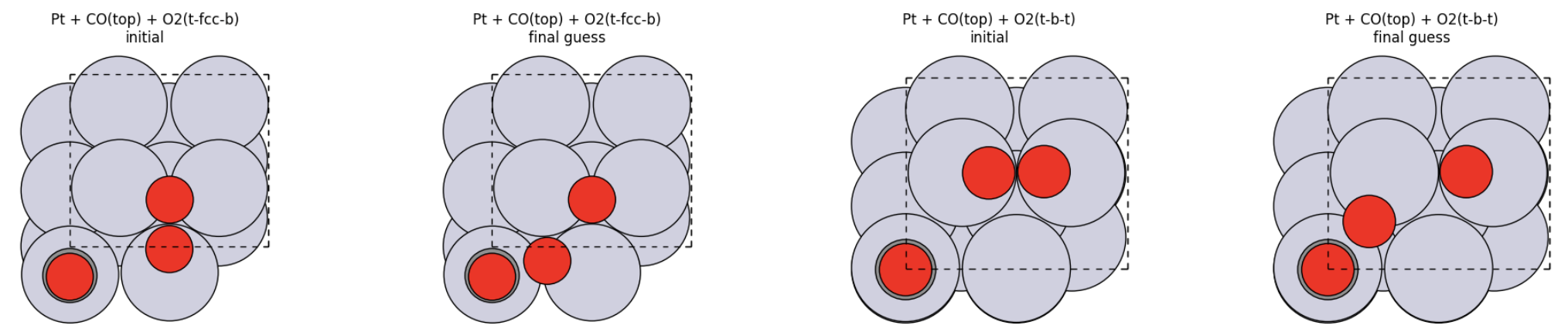
We will use the co-adsorbed CO + O2 structures as candidates for the initial state of the oxidation reaction. Next, we proceed to generate structures for the final states containing CO2 + O.
For the top/fcc configuration:
Pt111_2x2_O2_fcc_CO with AMSinputPt111_2x2_O2_fcc_CO2Repeat this process for the top/bridge configuration:
Pt111_2x2_O2_bridge_CO with AMSinputPt111_2x2_O2_bridge_CO2We will set up a NEB calculation to search for the transition states. Normally, we would perform an optimization of the final states first. However, we skip this step here due to the tendency of CO2 to desorb from the substrate.
Note
It is important that the atom order of the final and initial states remains the same. (A change in the atom order can occur by deleting atoms from the structure.) When generating the final state for a NEB calculation, restrict yourself to using move or tune operations only.
Run the NEB Calculations
Using our initial and final state structures, we can define a transition state search using the NEB method in AMSinput.
Pt111_2x2_O2_fcc_CO with AMSinputPt111_2x2_O2_fcc_CO_TSRepeat this process for the top/bridge configuration:
Pt111_2x2_O2_bridge_CO with AMSinputPt111_2x2_O2_bridge_CO_TS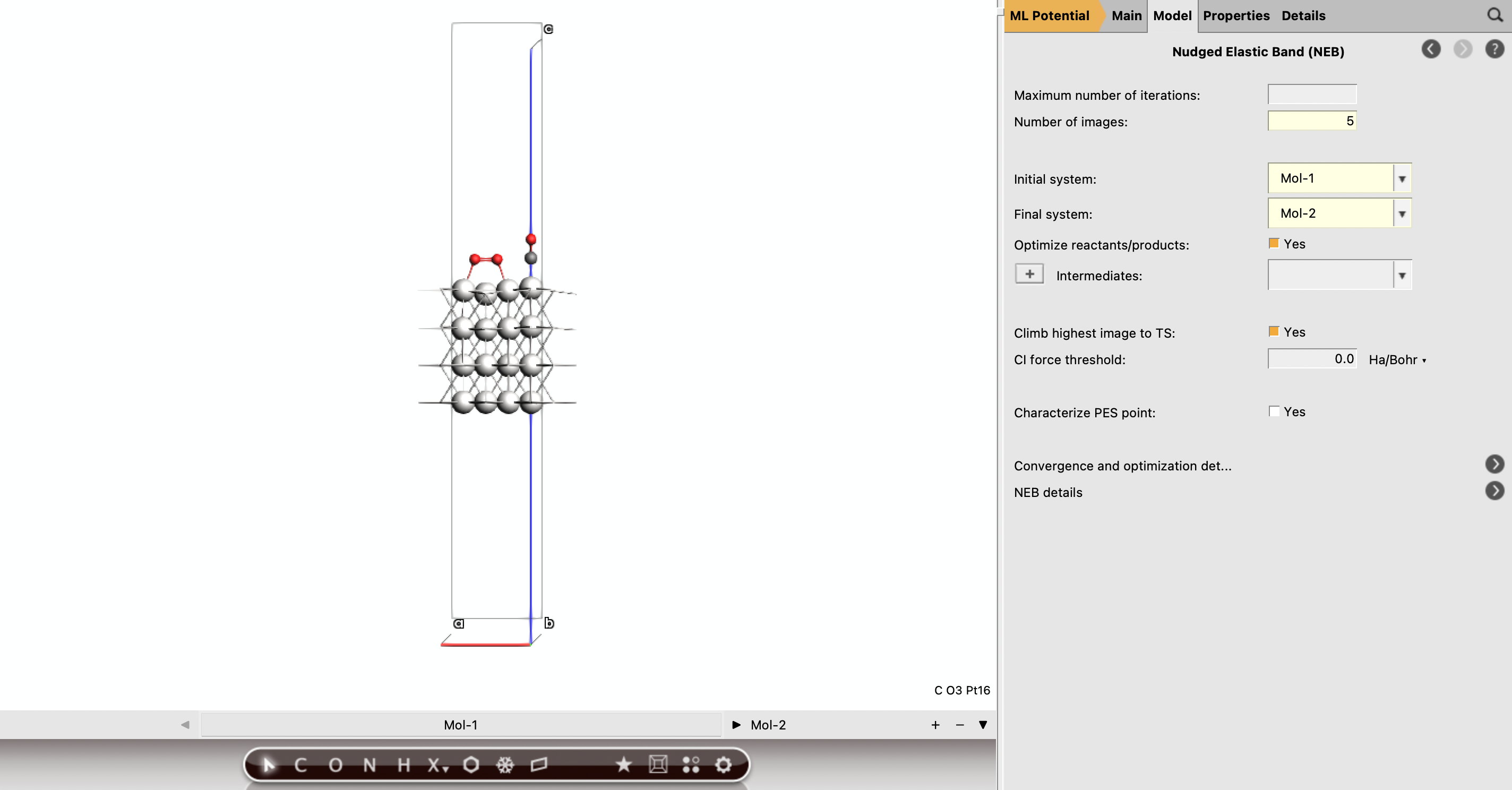
After the NEB jobs finish, we can visualize the energy landscape of the reaction using AMSmovie (SCM → Movie).
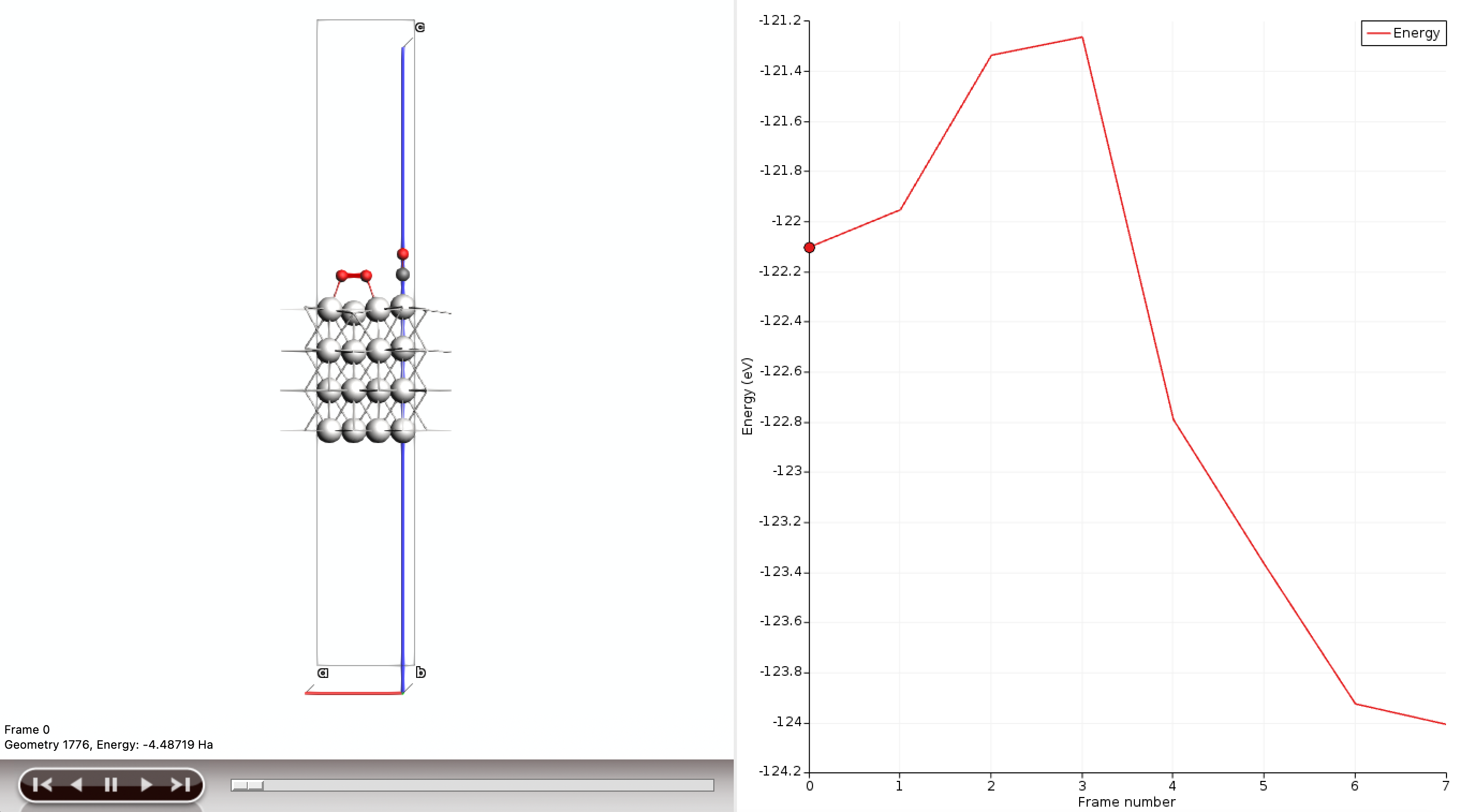
This gives a first reaction-path comparison for the two co-adsorbate motifs. The top/fcc configuration is seen to yield the lower barrier, and hence the faster rate, for CO oxidation. Lateral destabilization of the initial state aids the reaction rate by slightly lowering the barrier. The opposite effect is noted for the top/bridge configuration. This is a common phenomenon, where stability of the reactants is often inversely proportional to their reactivity.
Summary
In this tutorial, we have shown how to perform a reaction pathway analysis for a surface reaction on a heterogeneous catalyst. The role of co-adsorbate interactions was discussed, and we have highlighted the procedure for setting up transition state searches. A machine learning model was used to accelerate the energy calculations.
For this example, we have limited ourselves to a single reaction. The full microkinetic network for CO oxidation involves multiple steps, and can also include alternative routes such as CO/O2 dissociation. For co-adsorption, there are a large number of possible initial states. In our discussion, we have used arguments from MO theory to determine a reasonable set of configurations. High-throughput screenings could alternatively be performed to more thoroughly evaluate possible reaction coordinates, especially when considering higher surface coverages.