
Extract Frames from an AMS Trajectory with PLAMS
Run a short water-box molecular dynamics simulation and extract molecules from the trajectory frames on the generated ams.rkf file.
Extract Frames from ams.rkf Trajectory
This example first runs a short toy molecular dynamics simulation of a small water box. It then loads the generated ams.rkf file and extracts ChemicalSystem objects from the frames.
Import the PLAMS tools used for setup, MD, trajectory reading, and structure visualization.
from typing import List
from scm.base import ChemicalSystem
from scm.inputs import AMS, ReaxFF
from scm.plams import AMSJob, Settings, packmol, view
Run Short Water-Box MD Simulation
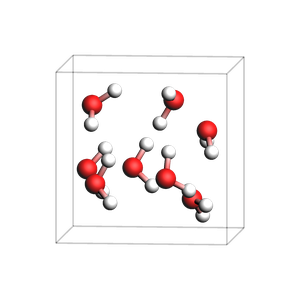
Build a small water box with Packmol and run a very short ReaxFF MD simulation.
water_box = packmol(ChemicalSystem.from_smiles("O"), n_molecules=8, density=1.0)

md_settings = Settings()
md_settings.input = AMS(Task="MolecularDynamics")
md_settings.input.Engine = ReaxFF(ForceField="Water2017.ff")
md_settings.input.MolecularDynamics.NSteps = 20
md_settings.input.MolecularDynamics.TimeStep = 0.5
md_settings.input.MolecularDynamics.Trajectory.SamplingFreq = 1
md_settings.input.MolecularDynamics.InitialVelocities.Temperature = 300
md_settings.runscript.nproc = 1
md_settings.runscript.preamble_lines = ["export OMP_NUM_THREADS=1"]

md_job = AMSJob(name="toy_water_box_md", molecule=water_box, settings=md_settings)
md_results = md_job.run()
if not md_results.ok():
    raise RuntimeError("Toy MD run did not finish successfully.")

rkf_path = md_results.rkfpath()
print(f"Trajectory file: {rkf_path}")

view(water_box, direction="tilt_z", width=300, height=300)
[19.10|12:19:57] JOB toy_water_box_md STARTED
[19.10|12:19:57] JOB toy_water_box_md RUNNING
[19.10|12:19:58] JOB toy_water_box_md FINISHED
[19.10|12:19:58] JOB toy_water_box_md SUCCESSFUL
Trajectory file: /Users/ormrodmorley/Documents/code/ams/amshome_version_bump/userdoc/PythonExamples/extract-rkf-frames/plams_workdir/toy_water_box_md/ams.rkf
Extract First Five Frames
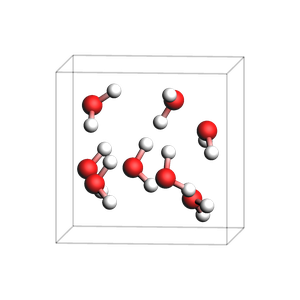
Use get_history_system to extract frames from ams.rkf as ChemicalSystem objects.
n_entries = int(md_results.readrkf("History", "nEntries"))
for frame_number in range(1, min(5, n_entries) + 1):
    frame_system = md_results.get_history_system(frame_number)
    print(f"Frame {frame_number}")
    print(frame_system)

view(frame_system, direction="tilt_z", width=300, height=300)
Frame 1
System
   Atoms
      O 0.961828 1.704573 4.550183 region=mol0
      H 1.417395 2.534433 4.84069 region=mol0
      H 1.463506 0.976824 4.996617 region=mol0
      O 5.158510000000001 3.80641 3.245275 region=mol0
      H 5.251837 3.529453 2.299131 region=mol0
      H 5.270489999999999 2.968641 3.761228 region=mol0
      O 1.045712 4.760463 2.641735 region=mol0
... output trimmed ....
      19 21 0.8495470798507035
      22 23 0.8822108158272145
      22 24 0.8637730085925092
   End
   Lattice
      6.2086047072 0 0
      0 6.2086047072 0
      0 0 6.2086047072
   End
End
Extract Specific Frame
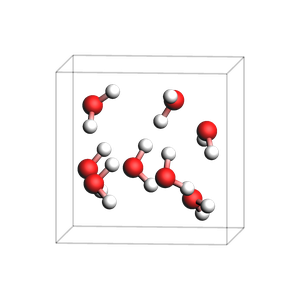
Use get_history_system to load one selected frame directly.
selected_frame = min(10, n_entries)
selected_system = md_results.get_history_system(selected_frame)

print(f"Extracting frame {selected_frame} of {n_entries}")
print(selected_system)
view(selected_system, direction="tilt_z", width=300, height=300)
Extracting frame 10 of 21
System
   Atoms
      O 0.9155795673411559 1.7112861712751348 4.57592807133822 region=mol0
      H 1.5593644138917881 2.3860394413458077 4.759553361504276 region=mol0
      H 1.4474338068978072 1.0196600925898982 4.895547171581343 region=mol0
      O 5.152154330145534 3.791416000982019 3.2798750569315884 region=mol0
      H 5.14071065030885 3.584382233870767 2.3560957070000916 region=mol0
      H 5.28272687881899 2.9652988333234416 3.690648030560581 region=mol0
      O 1.0634866783713097 4.7474708995429165 2.667797924941154 region=mol0
... output trimmed ....
      19 21 0.8760364003373626
      22 23 0.8776163440695367
      22 24 0.8755867264977648
   End
   Lattice
      6.2086047072 0 0
      0 6.2086047072 0
      0 0 6.2086047072
   End
End
See also
Python Script
#!/usr/bin/env python
# coding: utf-8

# ## Extract Frames from ams.rkf Trajectory
#
# This example first runs a short toy molecular dynamics simulation of a small water box. It then loads the generated `ams.rkf` file and extracts `ChemicalSystem` objects from the frames.

# Import the PLAMS tools used for setup, MD, trajectory reading, and structure visualization.
#

from typing import List
from scm.base import ChemicalSystem
from scm.inputs import AMS, ReaxFF
from scm.plams import AMSJob, Settings, packmol, view


# ### Run Short Water-Box MD Simulation
#
# Build a small water box with Packmol and run a very short ReaxFF MD simulation.
#

water_box = packmol(ChemicalSystem.from_smiles("O"), n_molecules=8, density=1.0)

md_settings = Settings()
md_settings.input = AMS(Task="MolecularDynamics")
md_settings.input.Engine = ReaxFF(ForceField="Water2017.ff")
md_settings.input.MolecularDynamics.NSteps = 20
md_settings.input.MolecularDynamics.TimeStep = 0.5
md_settings.input.MolecularDynamics.Trajectory.SamplingFreq = 1
md_settings.input.MolecularDynamics.InitialVelocities.Temperature = 300
md_settings.runscript.nproc = 1
md_settings.runscript.preamble_lines = ["export OMP_NUM_THREADS=1"]

md_job = AMSJob(name="toy_water_box_md", molecule=water_box, settings=md_settings)
md_results = md_job.run()
if not md_results.ok():
    raise RuntimeError("Toy MD run did not finish successfully.")

rkf_path = md_results.rkfpath()
print(f"Trajectory file: {rkf_path}")

view(water_box, direction="tilt_z", width=300, height=300, picture_path="picture1.png")


# ### Extract First Five Frames
#
# Use `get_history_system` to extract frames from `ams.rkf` as `ChemicalSystem` objects.
#

n_entries = int(md_results.readrkf("History", "nEntries"))
for frame_number in range(1, min(5, n_entries) + 1):
    frame_system = md_results.get_history_system(frame_number)
    print(f"Frame {frame_number}")
    print(frame_system)

view(frame_system, direction="tilt_z", width=300, height=300, picture_path="picture2.png")


# ### Extract Specific Frame
#
# Use `get_history_system` to load one selected frame directly.
#

selected_frame = min(10, n_entries)
selected_system = md_results.get_history_system(selected_frame)

print(f"Extracting frame {selected_frame} of {n_entries}")
print(selected_system)
view(selected_system, direction="tilt_z", width=300, height=300, picture_path="picture3.png")