
Extract Frames from an AMS Trajectory with PLAMS
Run a short water-box molecular dynamics simulation and extract molecules from the trajectory frames on the generated ams.rkf file.
Extract Frames from ams.rkf Trajectory
This example first runs a short toy molecular dynamics simulation of a small water box. It then loads the generated ams.rkf file and extracts PLAMS Molecule objects from the frames.
Import the PLAMS tools used for setup, MD, trajectory reading, and structure visualization.
from typing import List
from scm.plams import AMSJob, Molecule, Settings, Trajectory, from_smiles, packmol, view
Run Short Water-Box MD Simulation
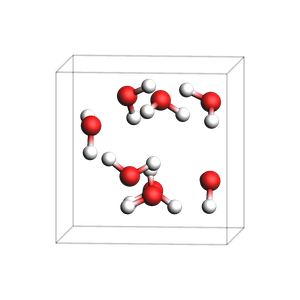
Build a small water box with Packmol and run a very short ReaxFF MD simulation.
water_box = packmol(from_smiles("O"), n_molecules=8, density=1.0)

md_settings = Settings()
md_settings.input.ams.Task = "MolecularDynamics"
md_settings.input.ReaxFF.ForceField = "Water2017.ff"
md_settings.input.ams.MolecularDynamics.NSteps = 20
md_settings.input.ams.MolecularDynamics.TimeStep = 0.5
md_settings.input.ams.MolecularDynamics.Trajectory.SamplingFreq = 1
md_settings.input.ams.MolecularDynamics.InitialVelocities.Temperature = 300
md_settings.runscript.nproc = 1
md_settings.runscript.preamble_lines = ["export OMP_NUM_THREADS=1"]

md_job = AMSJob(name="toy_water_box_md", molecule=water_box, settings=md_settings)
md_results = md_job.run()
if not md_results.ok():
    raise RuntimeError("Toy MD run did not finish successfully.")

rkf_path = md_results.rkfpath()
print(f"Trajectory file: {rkf_path}")

view(water_box, direction="tilt_z", width=300, height=300)
[30.03|10:23:40] JOB toy_water_box_md STARTED
[30.03|10:23:40] JOB toy_water_box_md RUNNING
[30.03|10:23:41] JOB toy_water_box_md FINISHED
[30.03|10:23:41] JOB toy_water_box_md SUCCESSFUL
Trajectory file: /Users/ormrodmorley/Documents/code/ams/amshome/userdoc/PythonExamples/extract-rkf-frames/plams_workdir/toy_water_box_md/ams.rkf
Extract First Five Frames
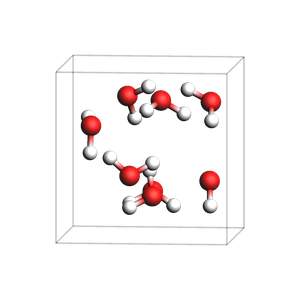
Use Trajectory to iterate over frames in ams.rkf. Each frame is returned as a PLAMS Molecule.
trajectory = Trajectory(rkf_path)

for frame_number, frame_molecule in enumerate(trajectory, start=1):
    print(f"Frame {frame_number}")
    print(frame_molecule)
    if frame_number == 5:
        break

view(frame_molecule, direction="tilt_z", width=300, height=300)
Frame 1
  Atoms:
    1         O       2.122478       4.901885       4.649045
    2         H       2.415803       4.171260       4.065070
    3         H       2.842374       5.206620       5.243269
    4         O       5.225673       1.935242       3.756869
    5         H       5.206033       2.081544       2.787803
    6         H       5.161149       0.982163       3.984227
    7         O       3.662690       5.085632       1.371000
    8         H       3.108086       4.601494       2.018229
... output trimmed ....
   (16)--0.9--(18)
   (19)--0.9--(20)
   (19)--0.9--(21)
   (22)--0.9--(23)
   (22)--0.8--(24)
  Lattice:
        6.2086047072     0.0000000000     0.0000000000
        0.0000000000     6.2086047072     0.0000000000
        0.0000000000     0.0000000000     6.2086047072
Extract Specific Frame
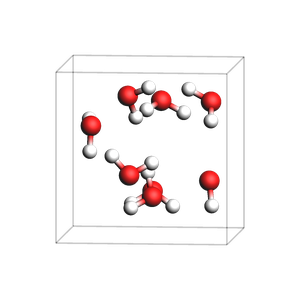
Use get_history_molecule to load one selected frame directly.
n_entries = int(md_results.readrkf("History", "nEntries"))
selected_frame = min(10, n_entries)
selected_molecule = md_results.get_history_molecule(selected_frame)

print(f"Extracting frame {selected_frame} of {n_entries}")
print(selected_molecule)
view(selected_molecule, direction="tilt_z", width=300, height=300)
Extracting frame 10 of 21
  Atoms:
    1         O       2.141748       4.907588       4.646051
    2         H       2.480594       4.180726       4.172887
    3         H       2.842408       5.154153       5.195327
    4         O       5.191984       1.938697       3.784959
    5         H       5.210499       1.959803       2.846443
    6         H       5.263893       1.011164       3.901648
    7         O       3.684341       5.072819       1.368730
    8         H       3.096675       4.674780       1.970383
... output trimmed ....
   (16)--0.9--(18)
   (19)--0.9--(20)
   (19)--0.9--(21)
   (22)--0.9--(23)
   (22)--0.9--(24)
  Lattice:
        6.2086047072     0.0000000000     0.0000000000
        0.0000000000     6.2086047072     0.0000000000
        0.0000000000     0.0000000000     6.2086047072
See also
Python Script
#!/usr/bin/env python
# coding: utf-8

# ## Extract Frames from ams.rkf Trajectory
#
# This example first runs a short toy molecular dynamics simulation of a small water box. It then loads the generated `ams.rkf` file and extracts PLAMS `Molecule` objects from the frames.

# Import the PLAMS tools used for setup, MD, trajectory reading, and structure visualization.
#

from typing import List
from scm.plams import AMSJob, Molecule, Settings, Trajectory, from_smiles, packmol, view


# ### Run Short Water-Box MD Simulation
#
# Build a small water box with Packmol and run a very short ReaxFF MD simulation.
#

water_box = packmol(from_smiles("O"), n_molecules=8, density=1.0)

md_settings = Settings()
md_settings.input.ams.Task = "MolecularDynamics"
md_settings.input.ReaxFF.ForceField = "Water2017.ff"
md_settings.input.ams.MolecularDynamics.NSteps = 20
md_settings.input.ams.MolecularDynamics.TimeStep = 0.5
md_settings.input.ams.MolecularDynamics.Trajectory.SamplingFreq = 1
md_settings.input.ams.MolecularDynamics.InitialVelocities.Temperature = 300
md_settings.runscript.nproc = 1
md_settings.runscript.preamble_lines = ["export OMP_NUM_THREADS=1"]

md_job = AMSJob(name="toy_water_box_md", molecule=water_box, settings=md_settings)
md_results = md_job.run()
if not md_results.ok():
    raise RuntimeError("Toy MD run did not finish successfully.")

rkf_path = md_results.rkfpath()
print(f"Trajectory file: {rkf_path}")

view(water_box, direction="tilt_z", width=300, height=300, picture_path="picture1.png")


# ### Extract First Five Frames
#
# Use `Trajectory` to iterate over frames in `ams.rkf`. Each frame is returned as a PLAMS `Molecule`.
#

trajectory = Trajectory(rkf_path)

for frame_number, frame_molecule in enumerate(trajectory, start=1):
    print(f"Frame {frame_number}")
    print(frame_molecule)
    if frame_number == 5:
        break

view(frame_molecule, direction="tilt_z", width=300, height=300, picture_path="picture2.png")


# ### Extract Specific Frame
#
# Use `get_history_molecule` to load one selected frame directly.
#

n_entries = int(md_results.readrkf("History", "nEntries"))
selected_frame = min(10, n_entries)
selected_molecule = md_results.get_history_molecule(selected_frame)

print(f"Extracting frame {selected_frame} of {n_entries}")
print(selected_molecule)
view(selected_molecule, direction="tilt_z", width=300, height=300, picture_path="picture3.png")